What Crewy does, feature by feature.
Twelve things the crew and the office use every day. The rule everywhere: the app proposes, you confirm.
01
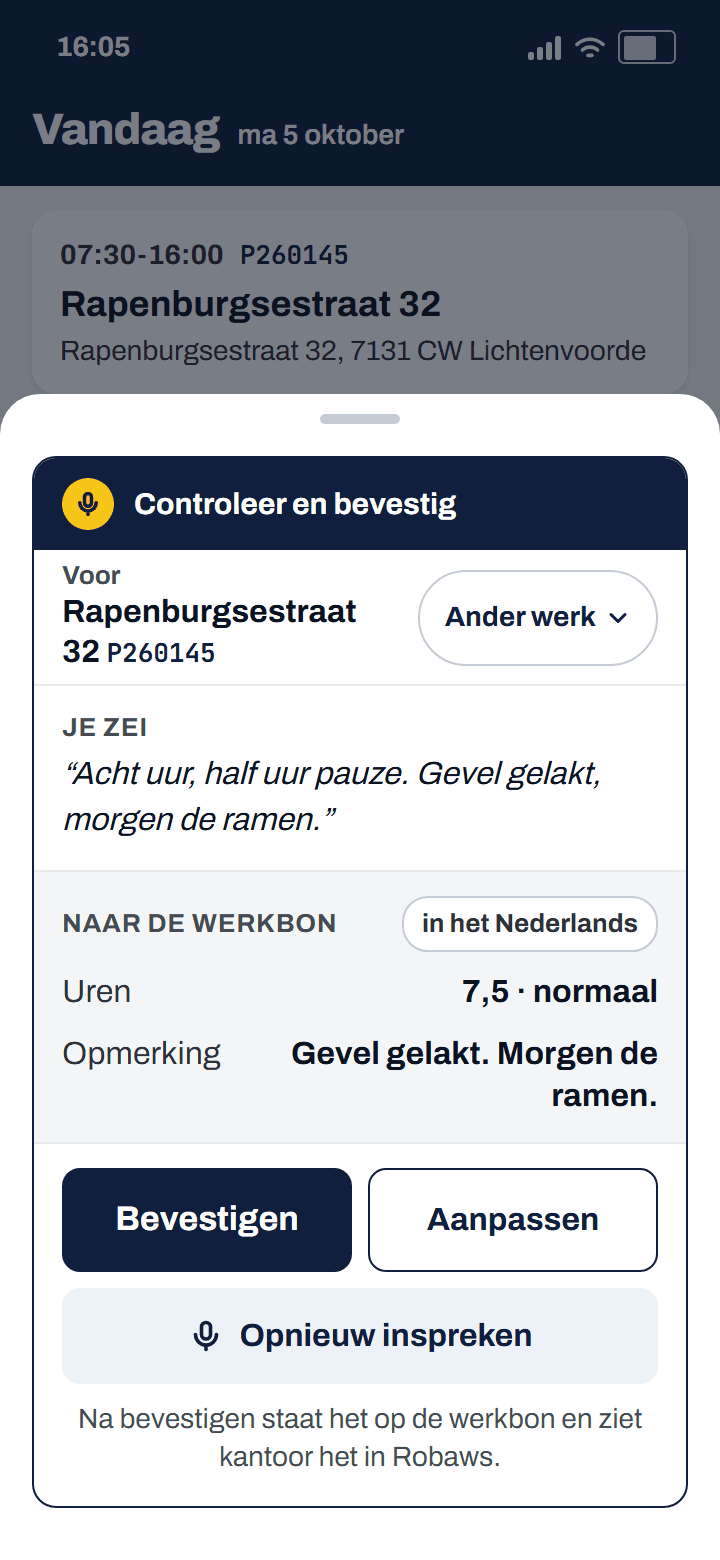
Log hours by voice instead of typing
Tap the yellow microphone and say what you did: "eight hours, half an hour break, front painted". The app writes it out and makes a card with 7.5 hours and a note for the work order. You see what you said and what goes to Robaws, and tap Confirm or Adjust. Your voice is not stored.
Robaws does not do this; Crewy turns spoken words into a work order line that you confirm.
02
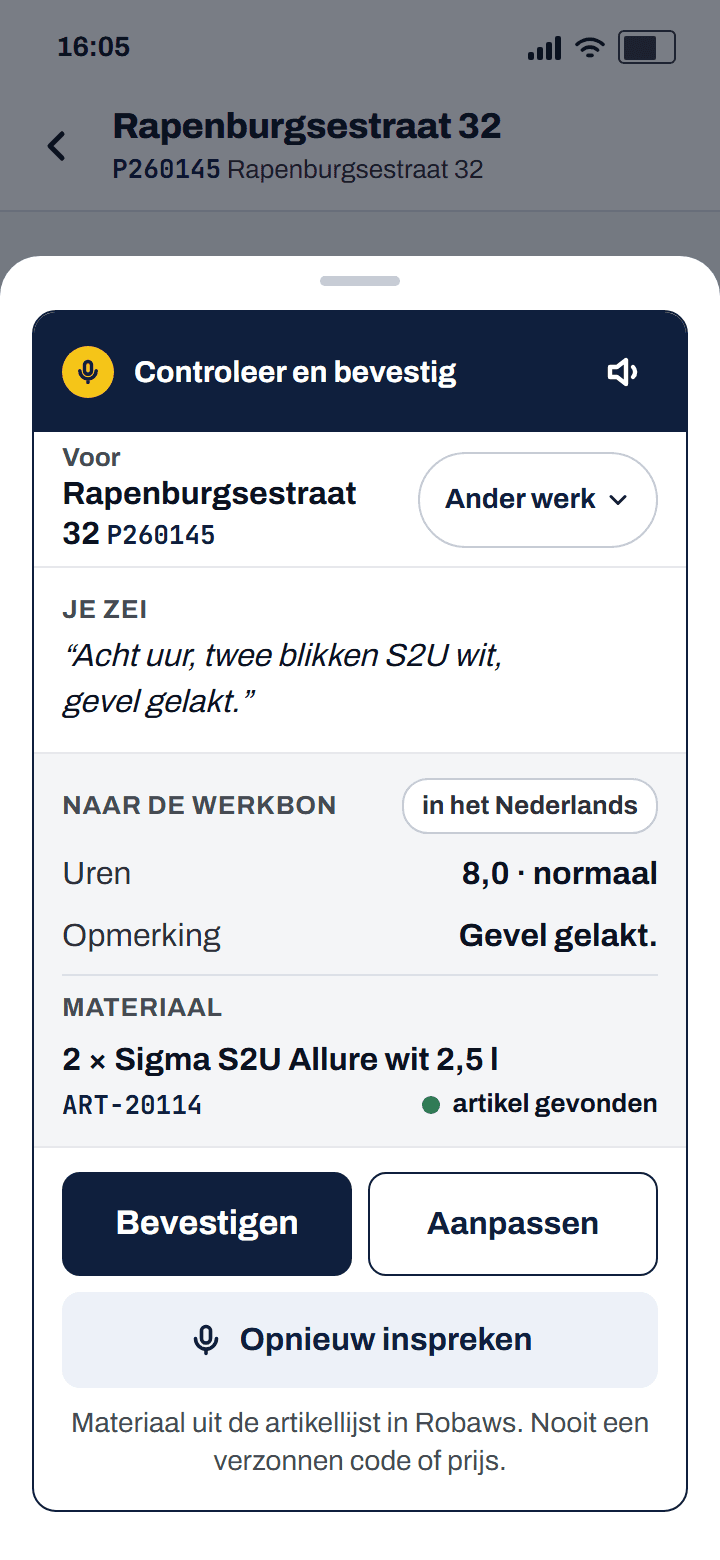
Add materials to the work order by voice
Say what you used along with your hours, for example "two tins of S2U white". The app looks the article up in the article list from Robaws and puts it on the card with its code. If more articles fit, the app asks which one you mean. A code or price is never made up.
Robaws does not do this; Crewy links what you say to an existing article.
03
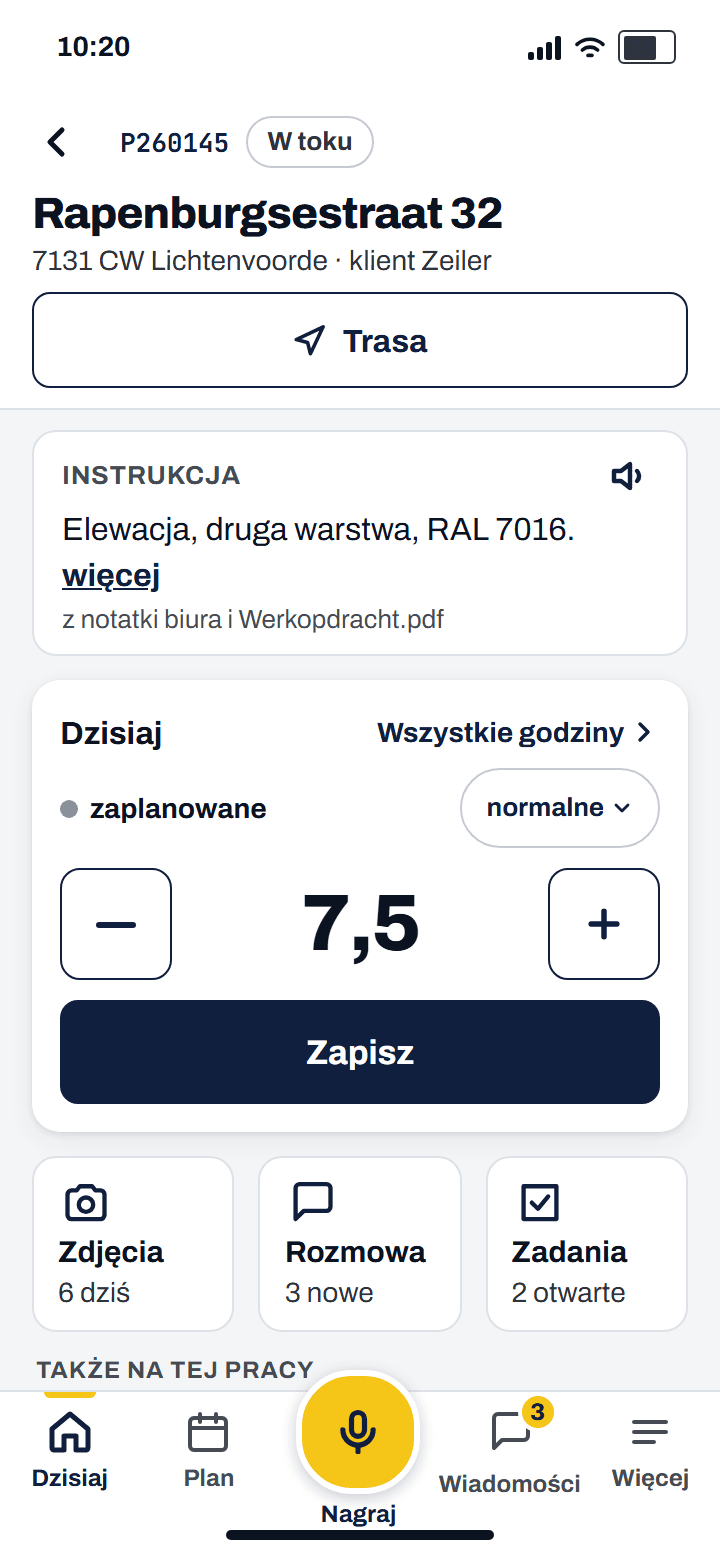
Work instructions in your own language, also Polish
The office writes the instruction in Dutch, in a note, the planning or a work order. The crew sees two lines at the top of the job in their own language, with the source and Show original. Without signal yesterday's instruction is still there, with the time next to it.
Robaws does not do this; Crewy turns loose pieces into one short instruction per job per day.
04
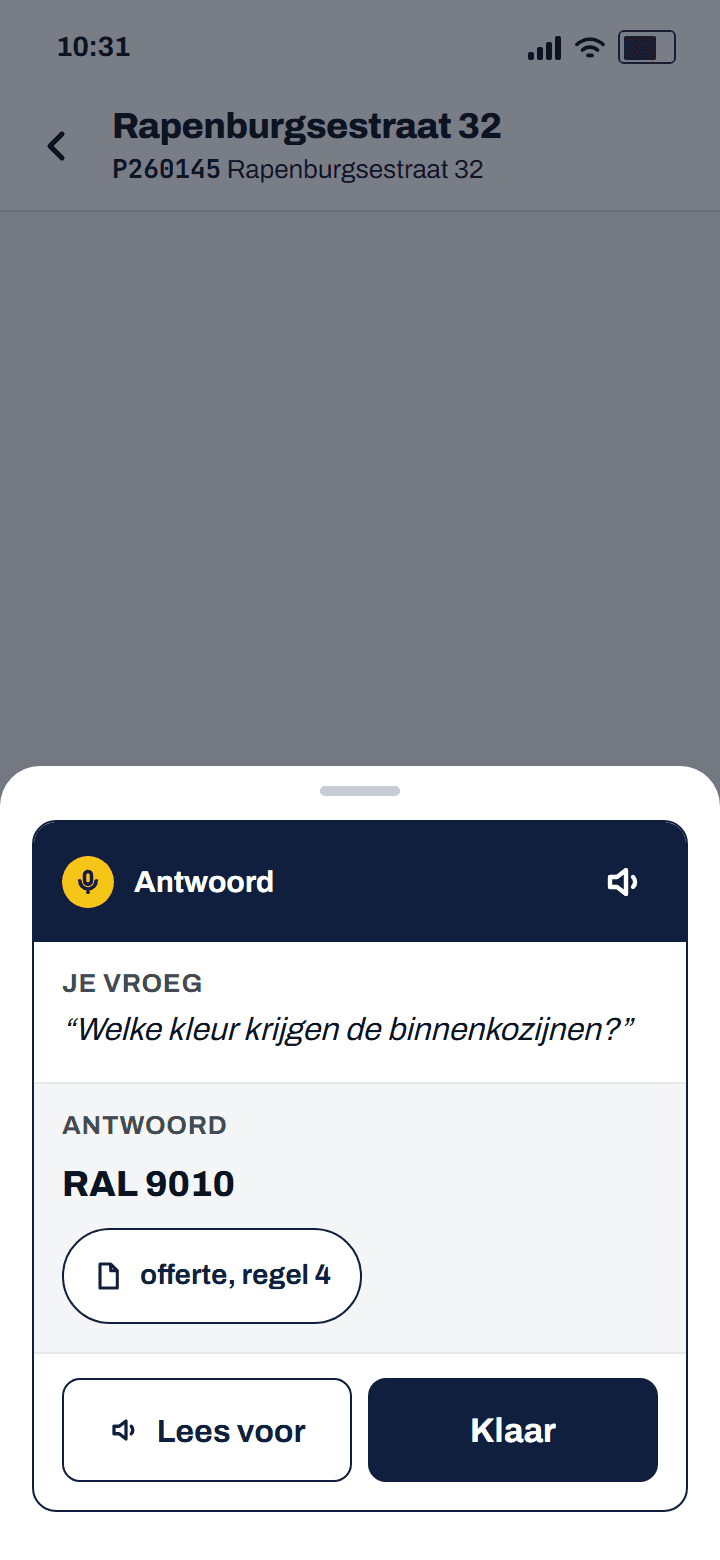
Ask the app: answers from the quote, with source
What colour do the inside window frames get? Say it to the microphone and the app searches the order, the quote, the documents and the conversation of this job. The answer comes with its source, for example quote line 4. If the app is not sure, it says so. If it is nowhere, you send it as a question to the office.
Robaws does not do this; Crewy answers a question about the job with a source.
05
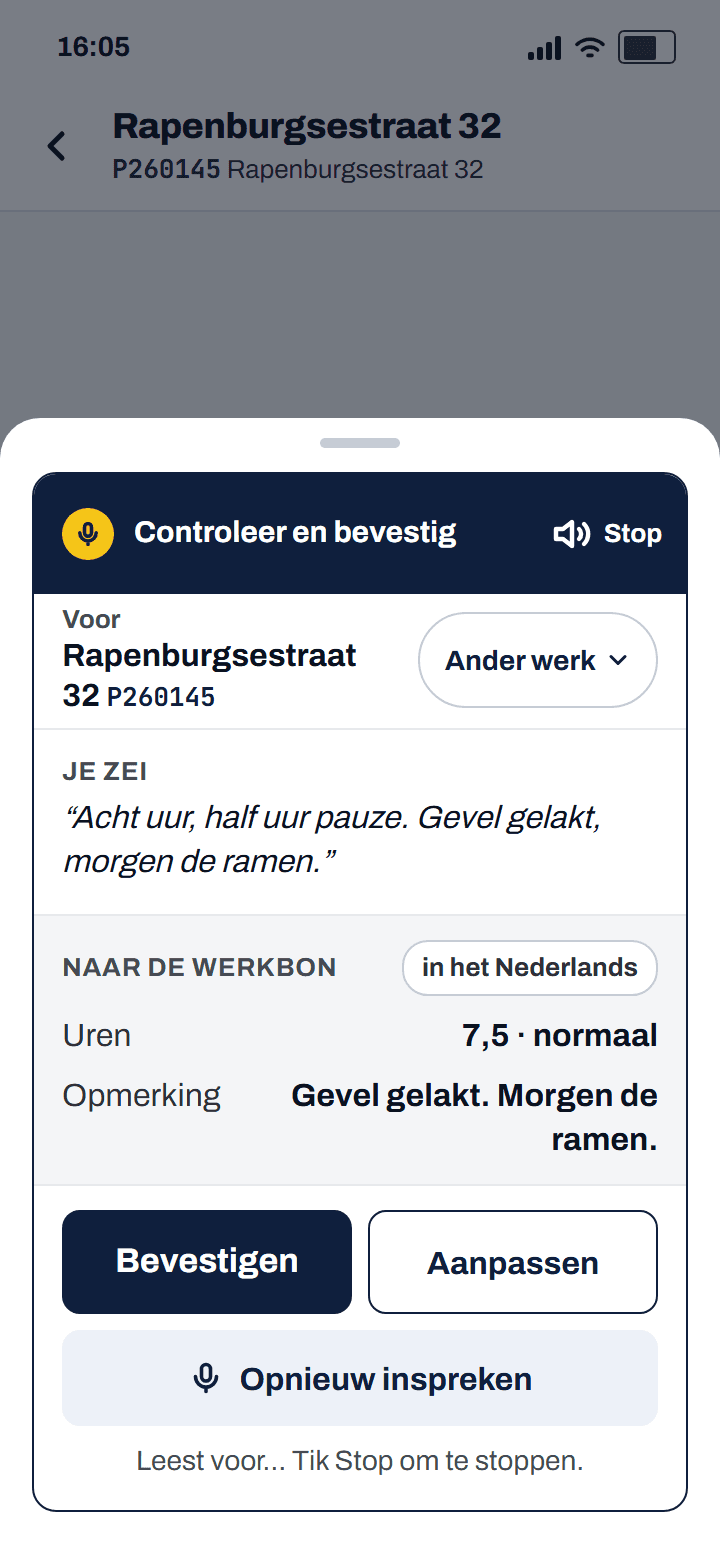
Have the work order read aloud
With gloves on, or if reading is not your strong point: tap the small speaker at the top right of a card and the app reads it aloud in your own language. That works on the proposal card, the instruction, an announcement and closing the day. With Show original it reads the Dutch. Without signal the speaker is grey.
Robaws does not do this; Crewy reads every card aloud in the worker's language.
06
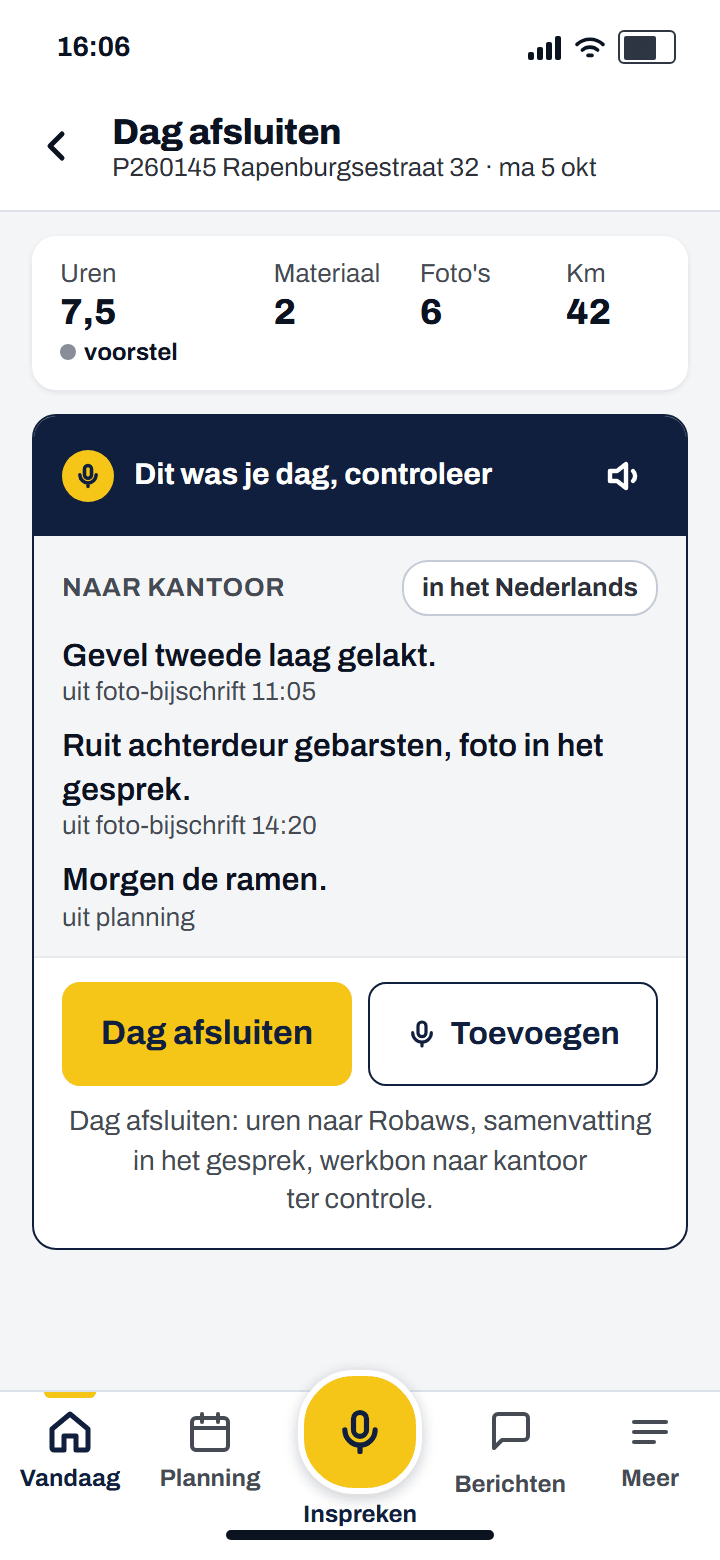
Close the day in one tap
At four your day is already prepared: hours from the planning, the captions of your photos, the materials and the kilometres, every sentence with where it came from. You read it through, add to it with the microphone if something is missing, and tap Close day. The hours go to Robaws and the summary to the conversation of the job.
Robaws does not do this; Crewy prepares the day before you start typing.
07
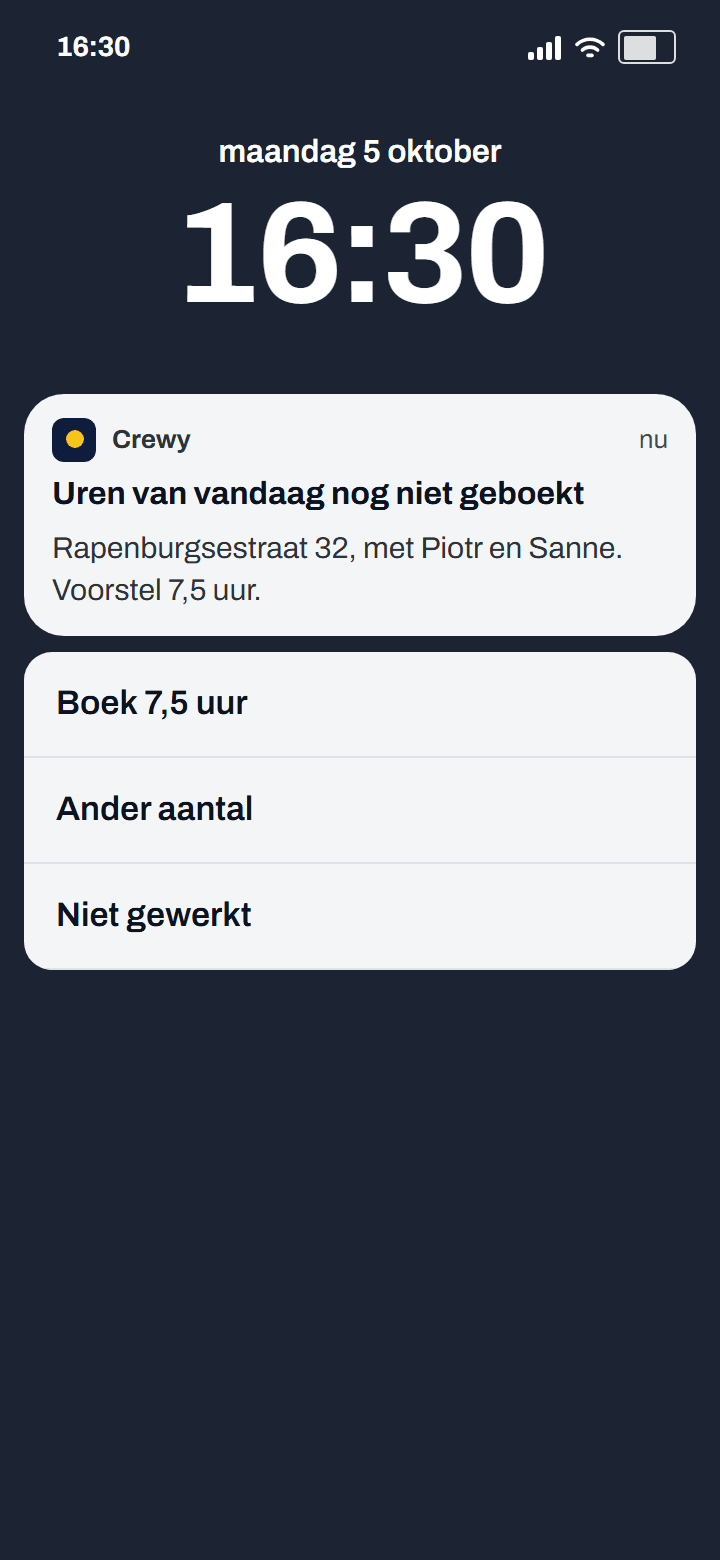
Hours reminder on your phone: is 7.5 hours right?
Forgot to book? At the end of the day a notification comes with the proposal from the planning: Rapenburgsestraat 32, 7.5 hours. You tap Book 7.5 hours, Other amount or Did not work, without opening the app. After that the status shows, just like in the app. If you always book eight hours somewhere, the app proposes that.
Robaws does not do this; Crewy proposes the hours on the lock screen.
08
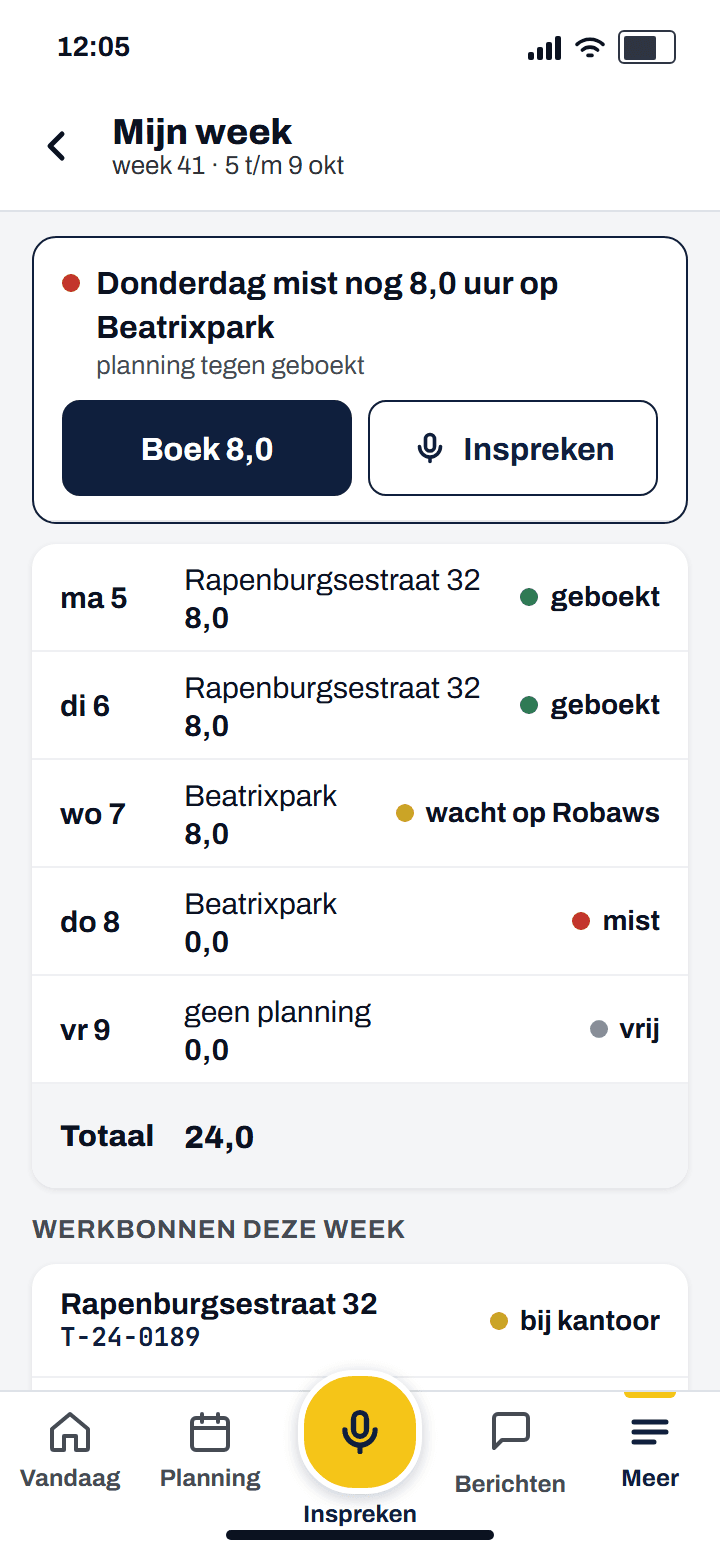
My week: see which hours are missing
On My week you see per day where you were planned and what you booked. If a day is missing, a bar sits at the top: Thursday is still missing 8.0 hours at Beatrixpark. You book it with one tap or speak it in. When the week is complete, it says Week complete.
Robaws does not do this; Crewy puts the planning next to the booked hours and shows what is still open.
09
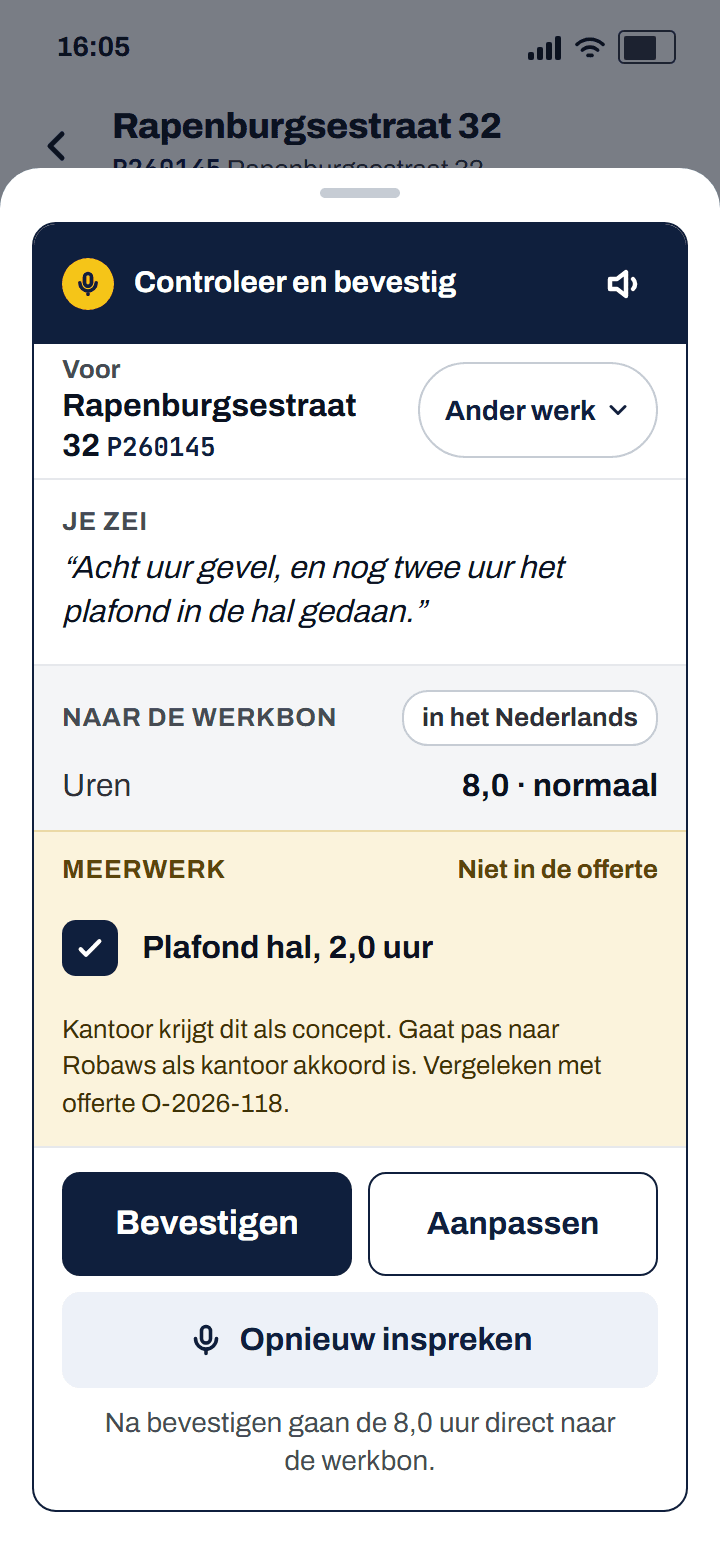
Spot extra work that is not in the quote
If a worker says "did another two hours on the ceiling in the hall", the app compares that with the quote. If it is not in there, an Extra work block appears on the card. The normal hours go straight to the work order; the extra work goes to the office as a draft and only reaches Robaws after approval.
Robaws does not do this; Crewy picks extra work out of what the crew says, so you do not forget to invoice it.
10
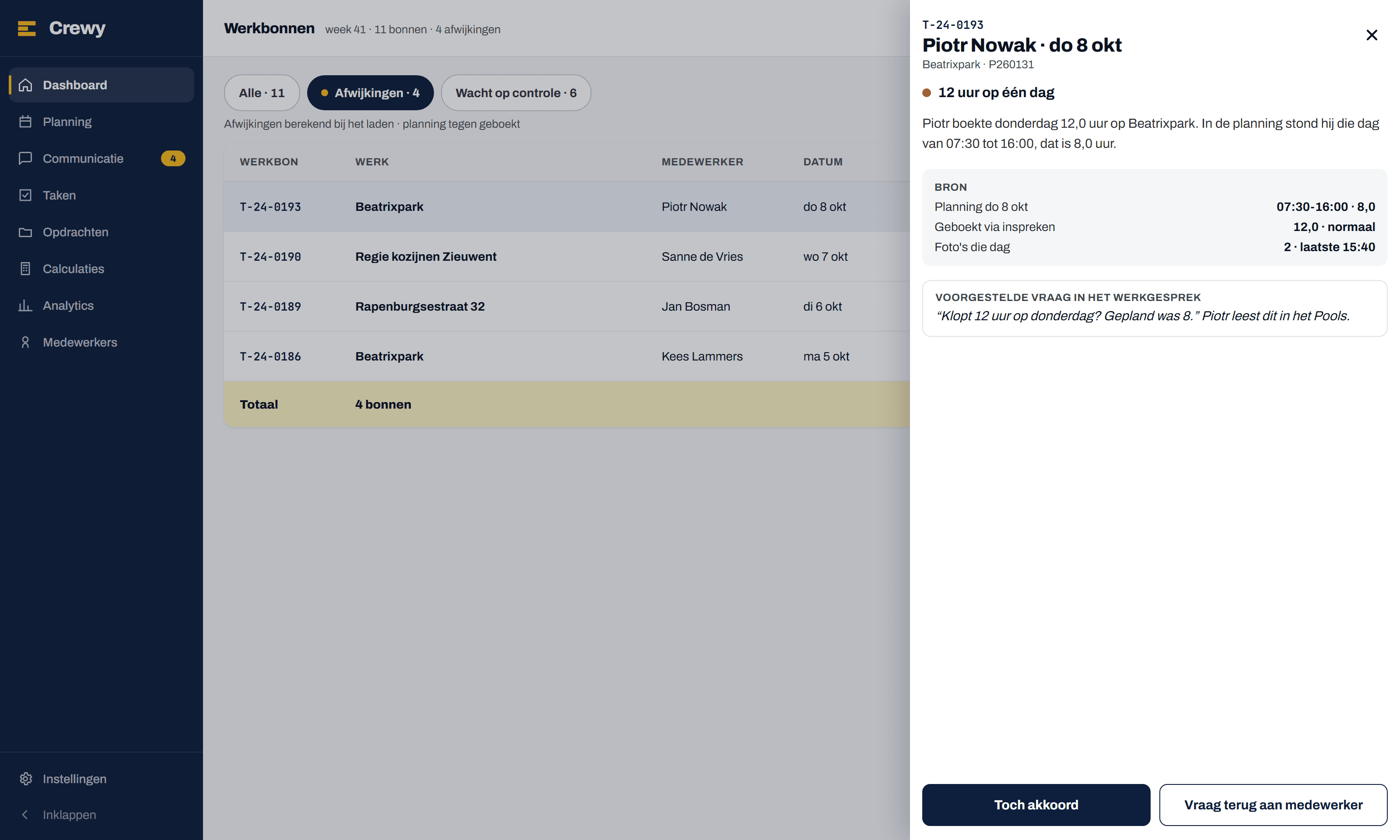
Check work orders before you approve
In the list of work orders the deviations sit at the top: twelve hours in one day, hours without planning, materials without hours, a photo without a note. Click one and you see the sources side by side: what was planned, what was booked and which photos were taken that day. Then you choose Approve anyway or Ask back.
Robaws does not do this; Crewy puts planning and work order side by side before you approve.
11
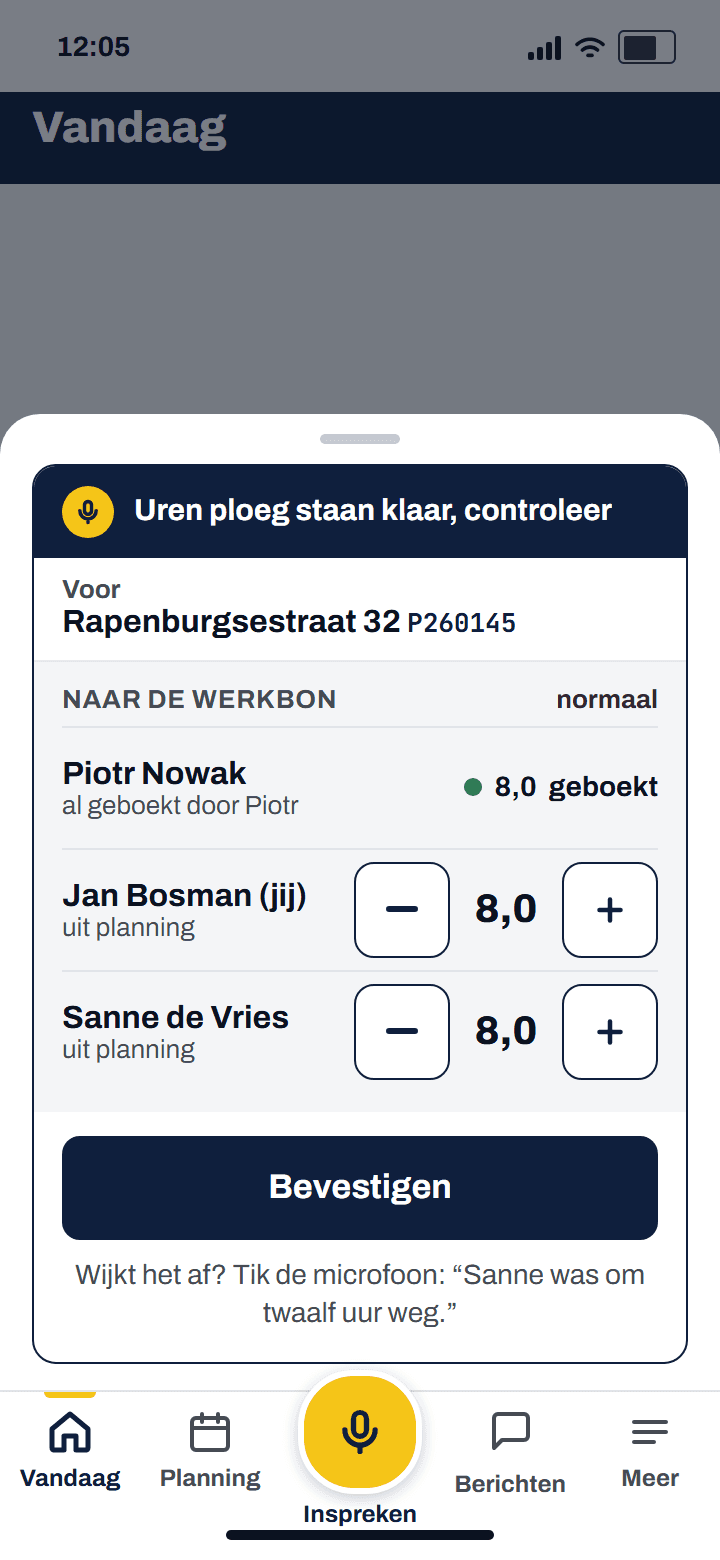
Crew hours for the foreman
At four the card with the crew's hours is ready, from the planning. Whoever already booked is listed without a stepper. If something differs, the foreman says it to the microphone: "Sanne left at twelve". One tap confirms the whole crew, with Undo.
Robaws does not do this; Crewy prepares the hours of his people before the foreman thinks of it.
12
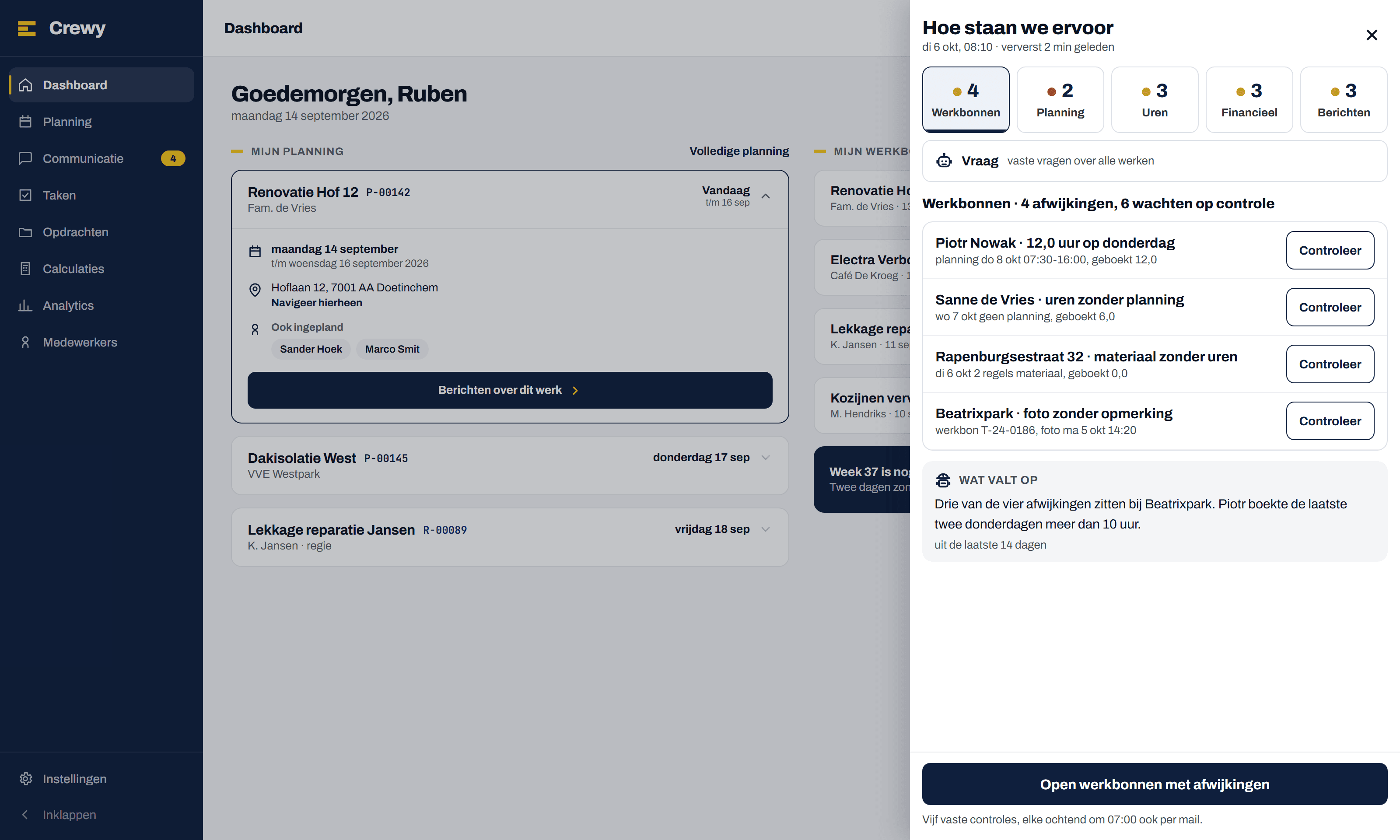
Where do we stand: every morning, all jobs at a glance
At the bottom right of every page of the web app sits one round button. Press it and you see five tiles: work orders, planning, hours, money and messages, each with a count. Under the chosen area are the lines, each with its source and one button to deal with it. At seven the same round arrives by email.
Robaws does not do this; Crewy counts every morning what still needs doing across all modules.